Digisoft Reach
Videoconferencing
Direct From Your Projector
This unique new technology allows teachers, trainers, and presenters to stream lessons and presentations to audiences anywhere in the world — using only the projector and an internet connection.
Show Screen & WebCam
Whatever you show on your screen and capture on your webcam will be broadcast. Your audience will be able to hear you, see you and your presentation, and ask questions and comments via the chat tool.
No Subscriptions
You can share your session with up to one hundred devices at a time with no extra cost or subscription fees. It's a unique service which comes free with the DCS Reach Kit.
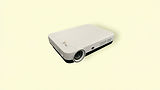


How Reach Works
Click ‘Broadcast' icon on the projector home screen
Click ‘Create a Session’
Add your session title and a password
Share your password
with invitees anywhere in the world.
They can join your session from any device by visiting reach.digisoft-education.com and entering your password.


Choose Your Lesson
You can display any content on your screen for your audience to view - from Word documents and PowerPoint presentations to videos.
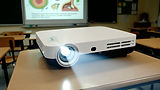
Teach the audiences both face to face and remotely. Reach the people in front of you and anyone unable to attend. Get instant audience feedback via chat, as they interact with you in real time.
Teach & Conference

At Digisoft Education, we focus on supporting under-served communities, especially where digital infrastructure is limited. Digisoft Reach was designed to reduce bandwidth usage, and at no extra cost. Check out our videos introducing Digisoft Reach.